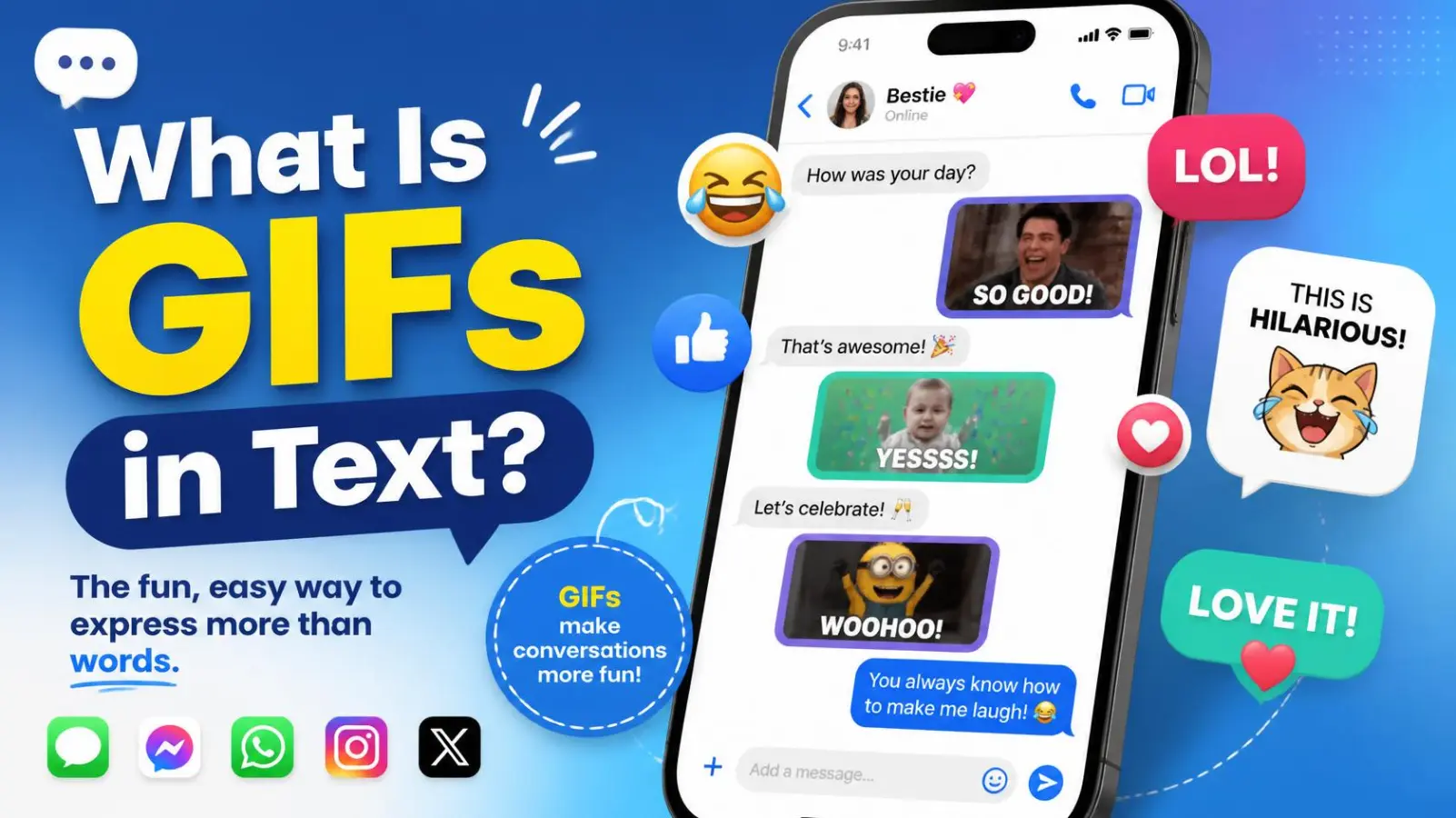
You are mid-conversation, someone sends a looping clip of a cat falling off a couch, and everyone replies with laughing emojis. That little moving image is a GIF. If you have ever typed what GIFs in text into a search bar, you are not alone. Millions of people use GIFs every day without knowing exactly what they are.
In short, a GIF in text is a short, silent, looping animation that you send inside a message to show a feeling, a reaction, or a joke. It says in two seconds what a sentence might need a paragraph to say.
The word GIF stands for Graphics Interchange Format, and the format is older than the web as we know it. It has outlived dozens of trends, survived a famous pronunciation fight, and found a second life inside iMessage, WhatsApp, Instagram DMs, Discord, and Slack.
In this guide, you will learn what GIFs mean in text messages, where they came from, how they work, and how to send them. You will also get real conversation examples, etiquette tips for work and dating, common mistakes to avoid, and answers to the questions people ask most. By the end, you will know exactly when a GIF helps and when plain words do the job better.
What Is a GIF in Text?
A GIF in text is a short, looping, silent animation sent inside a message to express a reaction, emotion, or joke. It is not a typed abbreviation like LOL or BRB. It is an actual moving image, usually pulled from a searchable library on your keyboard or messaging app.
You will see GIFs used to say things like:
- “I am so happy for you” (a dancing celebration clip)
- “That was awkward” (a person blinking in disbelief)
- “Good morning” (a cartoon waving with coffee)
- “I am waiting for your reply” (a character tapping their fingers)
The tone is almost always playful. A GIF lets you add facial expressions and body language to a medium that otherwise has none.
Quick Facts: GIFs in Text at a Glance
| Detail | Information |
| Meaning | A short looping animation sent in a message to express a reaction |
| Stands for | Graphics Interchange Format |
| Origin | Created in 1987 at CompuServe by Steve Wilhite and his team |
| Common use | Reactions, jokes, greetings, celebrations, emotional emphasis |
| Tone | Casual, playful, expressive |
| Popularity | Built into most major messaging and social apps |
| Popular libraries | GIPHY, Tenor |
| Related terms | Sticker, emoji, meme, reaction image, short video clip |
What GIF Stands For and How to Pronounce It
GIF stands for Graphics Interchange Format. The name describes the original job of the file: letting computers swap images with each other quickly, even over slow connections.
The Great Pronunciation Debate
Few tech terms spark as many arguments as this one. There are two camps:
- “Jif” (soft G, like the peanut butter brand). This is how the format’s creator, Steve Wilhite, said it should be pronounced.
- “Gif” (hard G, like the word “gift”). This is how most English speakers say it in everyday life.
Wilhite reportedly said the Jif reference was intentional, and CompuServe developers even joked, “Choosy developers choose GIF.” Even so, the hard G caught on widely, and the debate never fully died.
So Which One Is Right?
Both are widely understood. Major dictionaries accept both pronunciations, so you will not confuse anyone with either one. In a text message the question never comes up, because you only type the letters.
If you want a simple rule: say it the way the people around you say it, and move on.
Origin and History of the GIF
The GIF is far older than texting. It was built for a very different purpose, and it took decades to become the reaction tool we know today.
1987: Born at CompuServe
CompuServe, one of the first major online service providers in the United States, released the first GIF specification on June 15, 1987. A team led by software engineer Steve Wilhite created it. The goal was practical: give people a way to share color images online without waiting forever for them to download.
The format relied on a lossless compression method called LZW, which kept files small. It also limited each image to 256 colors, a trade-off that still shapes how GIFs look today.
Late 1980s and 1990s: Animation Arrives
A later version of the format, known as 89a, supported multiple frames in one file. That feature let a GIF play like a tiny flipbook. In the mid-1990s, web browsers began displaying these animations, and the early web filled with spinning logos, waving cartoon mailboxes, and “under construction” banners.
2000s to Early 2010s: From Decoration to Culture
As the web grew up, flashy animated GIFs fell out of fashion. But the format stayed alive because it worked everywhere. Blogging platforms, forums, and social sites like Tumblr then turned GIFs into a language of their own, built on short clips from movies, sports, and TV shows.
2014 to 2020: Libraries and Keyboards
Two companies made GIFs easy to find and send:
- Tenor, founded in 2014, built a GIF search engine and keyboard. Google acquired it in 2018.
- GIPHY became the best-known GIF library. Facebook bought it in 2020, and it was later sold to Shutterstock.
Around the same time, messaging apps built GIF search directly into the keyboard. Apple’s iOS 10 update in 2016 brought GIF search into iMessage, following Facebook Messenger and Twitter, which already supported GIFs.
Today
GIFs are now a built-in feature of most chat and social apps. Steve Wilhite received a lifetime achievement honor at the Webby Awards in 2013, and he passed away on March 14, 2022, at age 74.
The ecosystem keeps shifting. According to reports, Google shut down its Tenor API for outside developers on June 30, 2026, while Tenor’s own website and Google products stayed active. If your favorite app’s GIF picker looks different than it used to, a library change may be the reason.
How GIFs Work in Text Messages
When you tap a GIF button in a chat, a few things happen behind the scenes. Knowing them helps you understand why GIFs sometimes load slowly, look grainy, or change from app to app.
What Makes a GIF a GIF
A true GIF file has a few signature traits:
- It loops. Most GIFs replay endlessly until you scroll away.
- It is silent. GIFs carry no audio track at all.
- It is short. Most clips run a few seconds, which keeps file sizes manageable.
- It has limited color. The format supports up to 256 colors per frame, which is why some GIFs look slightly grainy.
Many “GIFs” Are Really Tiny Videos
Here is a detail most people never notice. Many animations that you see in messaging apps are not true GIF files anymore. Platforms often convert them into short, muted video clips, because video files are smaller and look sharper than classic GIF files. To you it still feels like a GIF, and everyone still calls it one.
The Search Library Behind the Keyboard
When you type “happy dance” into a GIF search box, your app asks a library for matching clips. Popular libraries include GIPHY and Tenor, and some apps use their own. The library returns a list, you tap one, and the app sends it to your friend.
Because apps pull from different libraries, the same search can show different results on different platforms. That is normal.
Why Some GIFs Load Slowly
- A weak signal or slow data connection
- A long or high-resolution clip
- A busy server on the library’s end
If a GIF will not play, wait a moment or check your connection before assuming something broke.
How to Send a GIF in a Text
Sending a GIF takes about five seconds once you know where the button lives. Menu names change between app versions, so treat these steps as a guide and look for the GIF icon if a label looks different.
On an iPhone (iMessage)
- Open a conversation in the Messages app.
- Tap the plus (+) button next to the text box.
- Choose the GIF or #images option.
- Search for a keyword like “thank you” or “mind blown.”
- Tap the GIF you like, then press send.
On an Android Phone (Google Messages)
- Open a chat in Messages.
- Tap the plus (+) or the emoji and sticker icon next to the text box.
- Select GIF.
- Search or browse the suggestions.
- Tap a GIF, then send it.
Many Android keyboards, including Gboard, also have a built-in GIF button, which works inside almost any chat app.
- Open a chat and tap the emoji icon in the text field.
- Switch to the GIF tab.
- Search for a term or scroll through popular picks.
- Tap a GIF and send.
Instagram Direct Messages
- Open a DM thread.
- Tap the sticker icon in the message bar.
- Choose the GIF option and search.
- Tap a GIF to send it.
Discord and Slack
- Discord: Click the GIF button beside the message box, search, and click a GIF.
- Slack: Use a GIF app or integration if your workspace has one installed. Some workspaces turn this off.
Pro Tips
- Use short, clear keywords such as “celebrate,” “facepalm,” or “thank you.”
- Preview the GIF fully before sending. Some clips change meaning in the last second.
- Save your favorites if the app lets you, so you can reuse them quickly.
GIFs Across Platforms: Meaning and Tone Everywhere
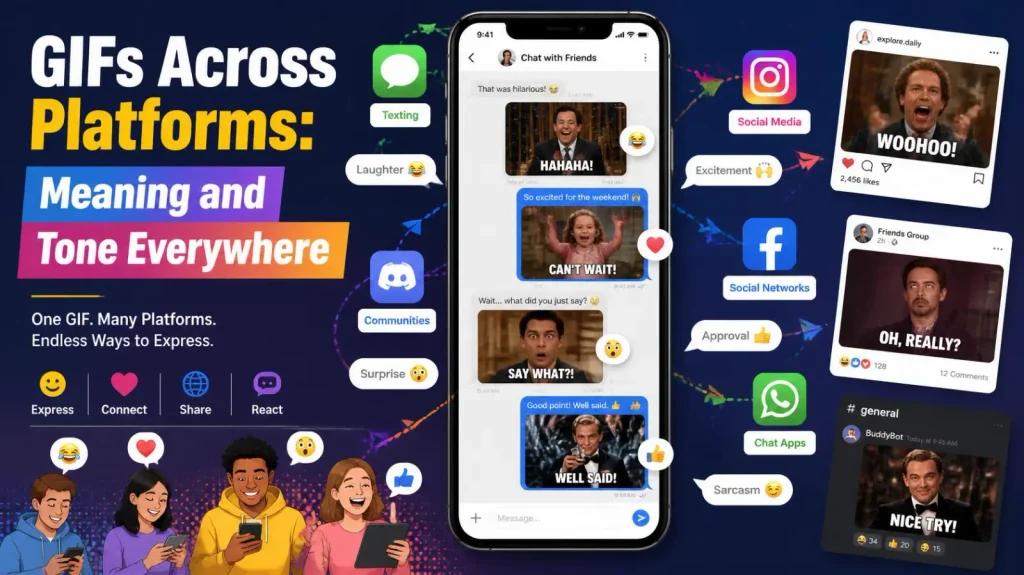
A GIF means the same basic thing everywhere: a looping reaction clip. But the vibe shifts from app to app and from audience to audience.
Text Messages (iMessage, Google Messages, WhatsApp)
In one-on-one texts, GIFs are personal and warm. People use them to greet friends, tease each other, and react to news. A GIF here feels like a quick facial expression.
On Instagram, GIFs show up in DMs, Stories, and comments. They are common in Story stickers and add motion to photos. The tone leans bright and visual.
TikTok
TikTok is built around original video, so GIFs play a smaller role. You may see GIF-style looping clips in comments, in video edits, or as reaction snippets pulled from shows and movies.
Snapchat
On Snapchat, GIFs and stickers decorate snaps and chats. The style is quick, casual, and short-lived, which fits the app’s disappearing-message feel.
Discord
Discord has a heavy GIF culture. Servers use reaction GIFs constantly, and many communities share inside-joke clips that only members understand. A GIF picker sits right beside the message box.
On Reddit, GIFs often appear as posts or comments in meme, sports, and gaming communities. Users share clips to show highlights, make a point, or add humor to a thread.
Gaming
Gamers use GIFs to share epic plays, fails, and funny glitches. In team chats, a well-timed reaction GIF can break tension after a rough match.
Dating Apps and Flirty Chats
GIFs can add playfulness to early conversations. A light, friendly clip can ease awkward silence. Still, keep it tasteful, and read the other person’s tone before leaning on them heavily.
Workplace Chats (Slack, Teams)
Many teams use GIFs to celebrate wins, welcome new hires, and keep the mood friendly. The tone depends on company culture. Some offices love them, while others prefer plain text for anything formal.
Realistic Conversation Examples with GIFs
Seeing GIFs in context makes the meaning click. In each example below, the text in brackets describes the GIF, since you cannot see it on the page.
Celebrating Good News
- Maya: I got the job!!
- Jordan: [GIF: confetti cannon and a person dancing]
- Jordan: So proud of you!
Friendly Teasing
- Sam: You said you would be here at 6.
- Alex: [GIF: a character running late in slow motion]
- Sam: Classic.
Good Morning Greeting
- Grandma: [GIF: a cartoon sun with “Good Morning” text]
- Chloe: [GIF: a waving puppy]
- Chloe: Morning, Grandma! Love you.
Group Chat Reaction
- Dev: Pizza or tacos tonight?
- Priya: [GIF: a person weighing two options on invisible scales]
- Marcus: Tacos. Obviously.
Workplace Moment
- Manager: The launch went live ahead of schedule.
- Teammate: [GIF: a crowd applauding]
- Teammate: Great work, everyone!
What Each Example Shows
- GIFs often replace a facial expression or a sigh that text cannot carry.
- They work best with a short line of real words beside them.
- The right GIF can soften teasing, boost excitement, or break a tense pause.
Common Types of Reaction GIFs and What They Say
Most GIFs fall into a handful of categories. Once you know them, you can pick the right one fast.
| GIF Type | What It Usually Says | Best Used When |
| Celebration (confetti, dancing, clapping) | “Congratulations!” or “I am so happy!” | Good news, birthdays, wins |
| Thank you (bowing, hugging, hearts) | “I appreciate you.” | After someone helps you |
| Laughing (cracking up, rolling) | “That was hilarious.” | Jokes and funny stories |
| Shocked (jaw drop, wide eyes) | “No way!” | Surprising news |
| Facepalm or eye roll | “I cannot believe this.” | Light, playful frustration |
| Waiting (tapping fingers, checking a watch) | “I am still here, waiting.” | Slow replies, friendly nudges |
| Greeting (waving, good morning cartoons) | “Hello!” | Starting a chat |
| Comfort (hug, teddy bear, heart) | “I am here for you.” | Supporting a friend |
| Yes and no (nodding, shaking head) | A quick answer | Simple questions |
| Shrug | “I do not know” or “whatever works” | Casual indecision |
How to Choose the Right One
- Match the mood of the conversation, not just the keyword.
- Pick a clip that most people would understand without extra context.
- Check that the clip does not include text or words that change your message.
GIF Etiquette: When to Use One and When to Skip It
GIFs are friendly by default, but tone can slip. A little thought keeps your message clear.
Positive Connotations
Most of the time, a GIF signals warmth and personality:
- It shows you are relaxed and approachable.
- It adds emotion that plain text can miss.
- It makes group chats feel lively and inclusive.
- It can soften a joke or a gentle complaint.
Negative Connotations
GIFs can also backfire:
- A sarcastic GIF can feel dismissive if the other person is upset.
- Too many GIFs can look like you are avoiding a real answer.
- A GIF in a serious chat can seem unprofessional or careless.
When a GIF Works Well
- Celebrating good news with friends or coworkers
- Replying to a joke
- Greeting someone
- Breaking an awkward silence
- Showing thanks in a casual chat
When to Skip the GIF
- Serious or sad conversations. Use words and be direct.
- Formal emails or messages to clients you do not know well.
- Conflict or apologies. A GIF can sound flippant.
- Anything with legal, health, or money details. Clarity matters more than flair.
Workplace Tips
- Watch how your team uses GIFs before joining in.
- Keep clips clean and inclusive.
- Avoid GIFs that mock coworkers or clients.
- When unsure, send a short written message instead.
Dating Tips
- Use GIFs to add humor, not to replace real conversation.
- Avoid anything crude or pushy early on.
- If the other person rarely uses GIFs, ease off.
Common Mistakes and Misconceptions About GIFs in Text
Even a simple tool has a few myths and bad habits around it.
Misconception 1: GIF Means “Funny Picture”
GIF is a file format, not a joke type. Plenty of GIFs are sweet, serious, or informational. People use the word loosely because the format became so linked with humor.
Misconception 2: Every GIF Is a Meme
Memes are ideas or images that spread and change through culture. A GIF is only the container. A GIF can show a meme, but it can also be a plain reaction clip, a product demo, or a simple greeting.
Misconception 3: GIFs Have Sound
True GIFs never carry audio. If a clip has sound, it is a short video, even if the app calls it a GIF.
Misconception 4: GIFs Are Always Free to Use Anywhere
Many GIFs come from movies, TV shows, and sports. Sharing them in private chats is common practice. Using them in business marketing or ads is a different matter, so check the usage rules first.
Common Mistakes People Make
- Sending a GIF without watching it all the way through. The last second may change the tone.
- Picking a GIF with offensive content. Always preview before you send.
- Replying with only a GIF to a serious question. Add words when the topic matters.
- Using too many GIFs in a row. It can bury the conversation.
- Using a GIF the other person will not understand. Skip obscure references when you are talking to someone new.
- Forgetting about data. GIFs can use more mobile data than plain text.
GIF vs Sticker vs Emoji vs Meme vs Video
These terms get mixed up all the time. Here is how they differ.
| Term | What It Is | Moves? | Sound? | Typical Use |
| GIF | A short looping animation | Yes | No | Reactions and jokes in chats |
| Sticker | A cartoon-style image, sometimes animated | Sometimes | No | Playful chat decoration |
| Emoji | A small standard icon built into your keyboard | No (usually) | No | Quick emotion in a line of text |
| Meme | An idea, joke, or format that spreads online | Depends | Depends | Cultural humor and commentary |
| Short video clip | A real video file | Yes | Yes | Sharing moments with sound |
| Live Photo | A still photo with a moment of motion (iPhone) | Yes | Sometimes | Capturing memories |
Key Differences in Plain Words
- GIF vs emoji: An emoji is a tiny symbol. A GIF is a moving clip.
- GIF vs sticker: Stickers are usually drawn artwork. GIFs often come from real footage or animation.
- GIF vs meme: A meme is a concept. A GIF is a way to show it.
- GIF vs video: A video can have sound and be any length. A GIF is short, silent, and loops.
Related Terms You May Hear
- Reaction GIF: A GIF used to respond to something someone said.
- Animated GIF: The full name for a moving GIF.
- GIF keyboard: A keyboard feature that lets you search and send GIFs.
- GIF search: The tool inside a chat app that finds GIFs by keyword.
Accessibility, Data, and Safety Tips for GIFs in Text
GIFs are fun, but a few practical points keep them kind to everyone in the chat.
Accessibility
- Add a few words. Screen readers may not describe a GIF well, so a short line like “Celebrating with you!” helps.
- Be careful with flashing clips. Rapid flashes can bother people who are sensitive to motion or light. Avoid them in group chats.
- Use captions when you can. Some GIFs include text, which helps people who cannot easily follow the motion.
Data and Battery
- GIFs and short clips can use more data than plain text. On a limited plan, use Wi-Fi when you can.
- Many phones let you turn off auto-play for animations in settings, which saves data and battery.
Safety and Privacy
- Check what you send. Some library search results are mislabeled or unsuitable for the audience. Always preview.
- Be careful with personal GIFs. Clips of yourself or other people can spread beyond the chat you shared them in.
- Respect the other person’s comfort. If someone asks you to stop sending GIFs, stop.
- Teach kids to be selective. Search results can include content that is not meant for younger users, so supervision helps.
Copyright Basics
Most GIFs come from movies, shows, and sports, which means someone owns that footage. Sharing them privately in chats is normal. If you plan to use a GIF in business marketing or a public campaign, look for licensed or original content to stay safe.
FAQs About GIFs in Text
Is GIF an acronym or a regular word?
Both. It began as an acronym for Graphics Interchange Format, but people now use it as an ordinary word, the way they use “laser” or “scuba.” You can write it in capitals (GIF) or, in casual chat, lowercase (gif). Both are understood.
Why can’t I see or send GIFs in my text messages?
The usual causes are a weak connection, a messaging app that does not support GIF search, or MMS settings that are turned off. Check your data or Wi-Fi first, then update the app. If the problem stays, try a different messaging app.
Do GIFs cost extra to send?
Usually no separate fee, but they use data. On plain SMS or MMS, some carrier plans count media messages differently than chat-app messages. If you are on a limited plan, check your carrier’s terms or send GIFs over Wi-Fi.
Can I make my own GIF?
Yes. Many phones and apps can turn a short video, a burst of photos, or a screen recording into a GIF. Online editors do the same on a computer. Keep clips short and focused so the file stays small and loads quickly.
Why does my GIF look blurry or grainy?
The format supports only 256 colors per frame, so gradients and fine detail can look rough. Heavy compression and resizing make it worse. A higher-quality source clip and a modest file size usually give cleaner results.
Can a GIF contain a virus?
A normal GIF image file is a low-risk format. The bigger risk comes from suspicious links, unknown senders, or files disguised to look like GIFs. Stay with trusted keyboards and libraries, and do not open unexpected files or links from strangers.
Do GIFs work the same on iPhone and Android?
Mostly, yes. Both have built-in GIF search in their main messaging apps, and third-party apps like WhatsApp and Discord work on both. Differences appear when an iPhone texts an Android phone over standard SMS or MMS, where animation quality can drop.
Are GIFs appropriate in professional emails or work chats?
It depends on the culture. In friendly team chats, GIFs are often fine for celebrations. In formal emails, client messages, or sensitive topics, plain words are safer. When you are unsure, follow what your colleagues already do.
Why do people send GIFs instead of writing a reply?
A GIF carries tone, facial expression, and energy that plain text can lack. It can also be faster than typing a long answer. For serious or detailed topics, though, most people still prefer actual words.
Conclusion
So, what are GIFs in text? It is a short, silent, looping animation that you send in a message to show a feeling faster than words can. The format dates back to 1987, and today it lives inside nearly every major chat app.
Here are the key takeaways:
- GIF stands for Graphics Interchange Format, and you can say it either way.
- Many “GIFs” you send today are really tiny muted videos, and that is fine.
- Libraries like GIPHY and Tenor power most GIF keyboards, though apps change their sources over time.
- GIFs shine in casual, friendly chats and celebrations.
- Skip them in serious, formal, or sensitive conversations.
A good rule is simple. Use a GIF when you want to add emotion, and use words when you need to be clear. Preview each clip before you send it, match the mood of the chat, and add a short line of text when the topic matters.
Now you know exactly what you are looking at the next time a looping cat, a clapping crowd, or a dancing cartoon lands in your messages.

Basra Kamal is a content writer and researcher at Top Meaning, specializing in word meanings, abbreviations, internet slang, texting terms, and modern language trends. She is passionate about making complex words and online expressions easy to understand through clear, accurate, and well-researched content. Her work helps readers quickly find reliable explanations of popular terms, phrases, and acronyms used in everyday communication and digital culture.